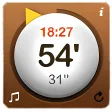
Minutes is a fun Dashboard timer
The Minutes Dashboard widget is a beautiful and very handy little tool to have on your Mac. This little timer is a pleasure to use and integrates perfectly on your Dashboard.
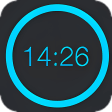
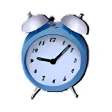
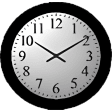
Simple yet elegant in design, Minutes offers four different designs to choose from. To start the timer simply wind the yellow pointer until you've reached the time you are looking for.
Minutes will display the current time and the countdown both in seconds and minutes, but clicking on it gives you other display choices.
Minutes has five different alarm sounds to choose from but you can also ask it to use your iTunes playlist.
Unfortunately you won't be able to select the one it plays. To alert you Minutes can also pop up a little message.

















User reviews about Minutes
by Anonymous
Beautiful but limited..
This widget is very simple to use and looks beautiful and general. You can connect the widget with iTunes and make it play or stop playing when the timer runs out. In the beginning I was confused as how to use the widget, but it didn't take me very long to figure it out. The widget a couple of functions, but it feels a bit limited. You can set the time at whatever time you want, but when you have set it you can only chose between play or not to play. You can't pause it in the middle, unfortunately.
Pros:
- Looks very nice
- Easy to use
- Small and simple
Cons:
- Limited functions More
by Anonymous
Works nicely, but stops my itunes playlist.
I want to be able to play music in itunes, set the timer, and have the timer interrupt the music, then resume the music. As it is, it seems to stop itunes entirely.
Pros:
Can pick a variety of sounds, including my own wav
Easy to set
Remembers most recently set time after the timer ends
Cons:
Stops itunes instead of interrupting it or playing over it
A little tricky to pick my own wav file, there's no "open" dialog box More
by Anonymous
How about Minutes for iPod Touch?.
Simple and effective. Easy to start; jangling alarms (that cannot be ignored!) and the most useful timer I have owned. Thanks.
Any chance of making n iPod Touch equivalent? More